Meet the Enigma Virtual Try-On
Posted by Jon Hauptman on Sep 30th 2026
See how an Enigma may fit your body before you buy
Choosing a holster that sits close to your body can feel like a big decision. You may wonder:
- Where will I wear it?
- Will it work with my body shape?
- How will my handgun affect the fit?
- What will I need to adjust?
Product photos cannot answer all of those questions.
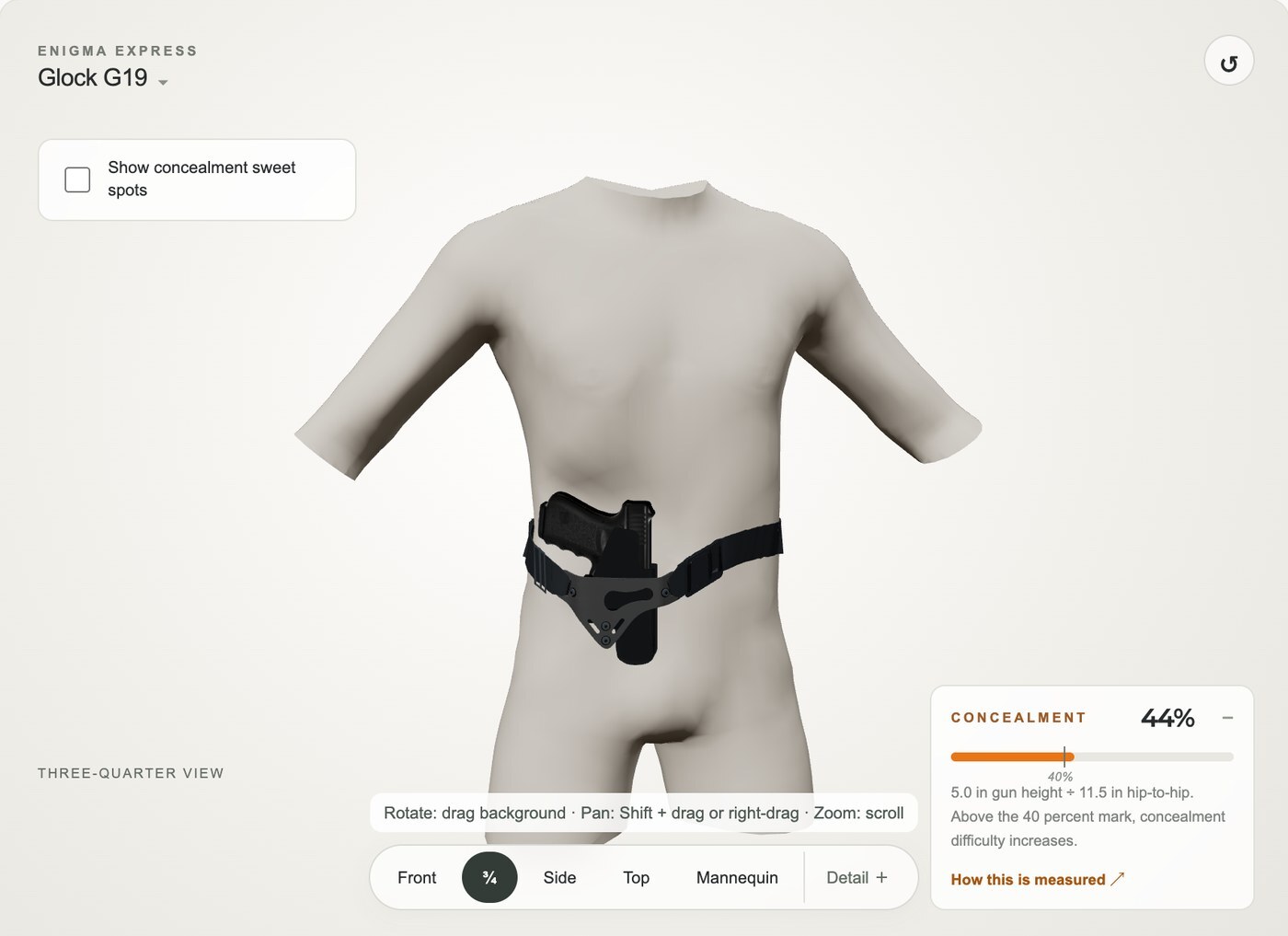
The Enigma Virtual Try-On gives you a better way to explore. You can see an Enigma on a body that looks more like yours, learn how its concealment features work, and compare different handguns and setups.
Try the Enigma Virtual Try-On →
Start with a body like yours
The experience starts with your body.
Choose a starting body, then adjust the height, waist, build, torso, chest or bust, hips, shoulders, and belly shape. You do not need exact measurements. Just adjust the body until it looks like you.
This matters because every body is different. Short torsos, long torsos, belly shape, hip and waist dimensions, and factors like "FUPA" all matter.
The Virtual Try-On helps you see those differences. It gives you a more personal starting point than looking at a product by itself.
See how the Enigma works with your body
The Enigma is more than a holster placed on top of a body. It is a system that works with your body, your handgun, your clothing, and the way you adjust it.
The Virtual Try-On helps you see those relationships.
The wing, wedge, and belt tension are all part of PHLster’s Concealment Mechanics. They respond to the body and the handgun together.
As you make changes, you can see that:
- A wing can pull the grip closer to your body.
- A wedge can help tuck the grip and slide inward.
- Belt tension can change how the setup rests against you.
- Moving the Enigma or changing its height can change how easy it may be to conceal.
This makes the setup process easier to understand. Instead of only reading about these parts, you can change them and see what happens.
Find your Concealment Sweet Spot
Some places on the body give clothing more room to drape over a handgun. Other places may make clothing pull tighter.
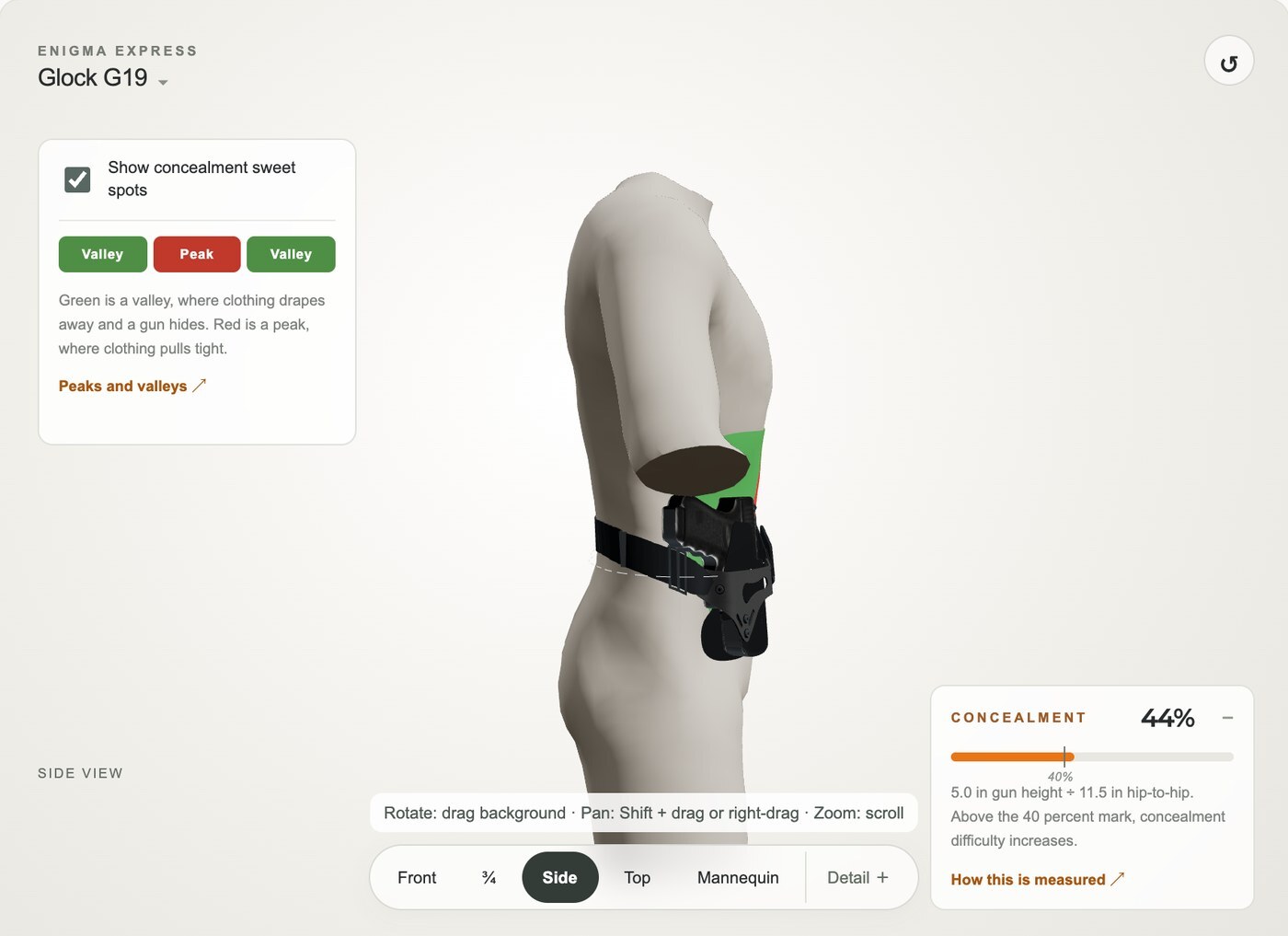
The Concealment Sweet Spot overlays help you see those areas on the body you selected.
The overlays show:
- Valleys, where clothing may have more room to drape.
- Peaks, where clothing may pull more tightly.
You can move the handgun around the body and see how its position relates to those areas.
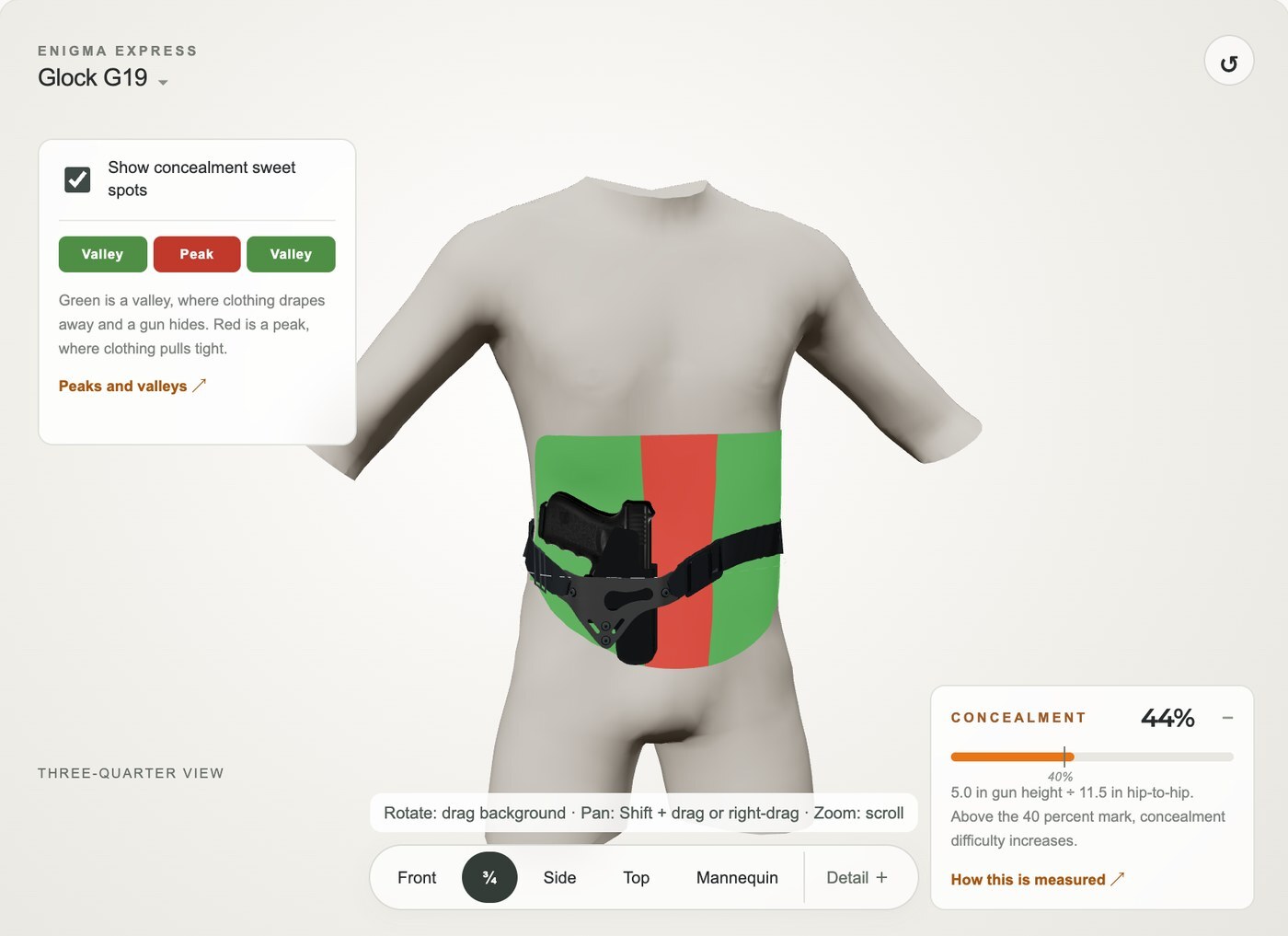
The tool also shows Concealment Percentage. This is an estimate of how much effort it may take to conceal the selected handgun in that position. Lower numbers mean the setup may be easier to conceal within the model.
These tools do not promise one perfect position. But, they help you understand your options and find promising places to start.
Explore different handguns
The Virtual Try-On is useful for more than choosing your first Enigma.
If you already use an Enigma, you can compare different handguns in the same setup. This can help if you carry more than one pistol or are thinking about adding another handgun to your rotation.
It can also help when you are planning a new handgun purchase. Choose from supported handguns, compare how they sit on your body, and see how their size and shape may change the setup.
Always confirm final compatibility and product details on the relevant PHLster product page.
A simple way to use it
To get started:
- Choose the body that looks closest to you.
- Pick your Enigma and handgun.
- Adjust where the setup sits.
- Try different wing, wedge, and belt tension settings.
- Turn on the Concealment Sweet Spot overlays.
- Compare the Concealment Percentage.
- Save one setup and compare it with another.
You do not need to know exactly what you are looking for before you begin. Try a few changes and watch how the setup responds.
The goal is to help you feel more informed and more confident before you buy, fit, or change an Enigma.
Explore your Enigma setup
The Enigma Virtual Try-On helps you see the product in a more personal way.
See how it may sit on a body like yours. Learn what the wing, wedge, and belt tension do. Find promising concealment positions. Compare handguns before a purchase. Use it to plan your first setup or your next one.
Open the Enigma Virtual Try-On →
The Virtual Try-On is a beta visualization tool. It is not a guarantee of comfort or concealment. Your real results will depend on your body, handgun, clothing, movement, and adjustments.
Always check product compatibility, follow the setup instructions, and fit your real Enigma carefully.
Frequently asked questions
What is the Enigma Virtual Try-On?
It is an interactive tool that lets you explore how a PHLster Enigma may sit on your body with a selected handgun. It also helps explain Concealment Mechanics, Concealment Sweet Spots, and Concealment Percentage.
Can I use it if I already own an Enigma?
Yes. You can use it to compare handguns, explore a carry rotation, or plan a new handgun purchase.
Does it tell me exactly where to carry?
No. It offers visual guidance and estimates. Your best position will depend on your body, clothing, movement, and personal preferences.
Does it replace fitting a real Enigma?
No. It is a way to learn and explore before fitting the real product. Always confirm compatibility, follow the instructions, and adjust your Enigma on your body.
Where is the leg leash?
The leg leash is not shown in this preview because its use and adjustment vary beyond what we can currently display with this tool. Always use the leg leash when wearing your Enigma.
About the author: Jon Hauptman, owner of PHLster. 16 years of holster making and design experience.